Free Online Tools That Just Work — No Sign-Up Required
ToolNest is a small collection of browser-based tools built for the tasks that eat up ten minutes of your day — generating a QR code, compressing a photo, writing a resignation letter, checking your spelling. No accounts, no email walls, no watching a progress bar while your file uploads to a server you've never heard of. Open a tool, finish the task, close the tab.
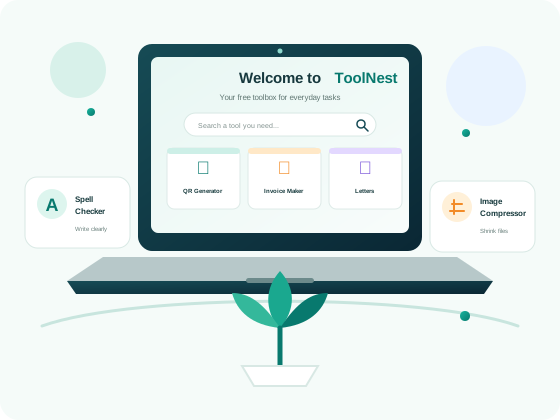
Most people don't go looking for a "productivity suite." They have one specific problem — a QR code for a flyer, a file that's too big to email, a resignation letter that needs to sound professional by tomorrow morning — and they need it solved in the next five minutes, not after an app download or a credit card form. That's the gap ToolNest fills. It isn't trying to be everything; it's eight focused tools, each built to do one job well, sitting behind a single free.
The tools split into three natural groups. Image tools (Image Compressor) work directly on files already sitting on your device. Document generators (Invoice Generator, Resignation Letter Generator, Cover Letter Maker) turn a short form into a polished, downloadable PDF. Writing and security tools (Email Writer, Spell Checker, Password Generator, QR Code Generator) handle the small daily tasks that don't deserve their own dedicated app but still need to be done properly. Whichever group you land in, the page you open is the whole tool — not a preview of one.
Eight tools, one place
Every tool below runs directly in your browser tab. Pick the one you need — there's no homepage-to-tool detour, no "create an account to continue."
QR Code Generator
Create a custom QR code with your own logo and colors, then download it as PNG or SVG.
SecurityPassword Generator
Generate a strong, random password with a live strength meter and one-click copy.
ImageImage Compressor
Shrink JPG, PNG, and WebP files without a visible quality drop — nothing leaves your device.
DocumentInvoice Generator
Fill a simple form, preview it live, and download a professional invoice as a PDF.
DocumentResignation Letter Generator
Choose a template, add your details, and get a polished resignation letter in minutes.
DocumentCover Letter Maker
Build a job application, leave application, or general cover letter from a clean template.
WritingEmail Writer
Speak or type your bullet points and get back a complete, well-written email draft.
WritingSpell Checker
Catch spelling and grammar mistakes in real time, with plain-language explanations.
How ToolNest works
There's no workflow to learn. Every tool follows the same three steps.
Open the tool
Click through from the grid above, or bookmark a specific tool's page directly — the tool loads immediately, with no loading screen, splash page, or account wall standing between you and the interface.
Do the task
Fill in a form, drop in a file, or speak your notes into your microphone. Most tools process everything locally in your browser the moment you interact with them, so there's rarely a spinner to wait on.
Download or copy
Get your finished result instantly — a downloadable PDF, a compressed image, a scannable QR code, or corrected text ready to paste back into whatever you were writing.
Why people use ToolNest instead of a "free trial"
Most "free" tools online exist to collect an email address before showing you the real product, or to cap your first three exports and then ask for a card number. ToolNest was built the opposite way around — read why we built it that way.
We think a tool that solves a five-minute problem should take five minutes, not fifteen. So every page here is built to load fast, work without any setup, and hand you a finished result — a file, a code, a corrected sentence — without asking for anything in return except, occasionally, a bit of patience while your browser does the processing locally instead of a distant server. That trade-off, a slightly heavier page in exchange for genuine privacy, is one we're happy to make.
- ✓No account required. Every tool is usable the moment the page loads — there's nothing to register, verify, or remember a password for.
- ✓Your files stay yours. Tools like the Image Compressor, Password Generator, and QR Code Generator never send your data to a server; the work happens in your browser's own memory.
- ✓No forced upgrades. There's no "Pro" paywall hiding the one feature you actually needed — length limits, watermarks, and export caps aren't part of how ToolNest works.
- ✓Fast by design. No frameworks, no bloated JavaScript bundles, no third-party trackers slowing down the page — just the code each individual tool needs to run.
- ✓Built to be used more than once. Bookmark the tool you use most; nothing about the page changes behind a login wall next time you visit.
Who ToolNest is built for
The eight tools were chosen because real people asked for them, not because they were easy to build.
Freelancers and small business owners regularly use the Invoice Generator to send a client a clean, professional bill without opening a full accounting suite for a single line item. Job seekers lean on the Cover Letter Maker and Resignation Letter Generator during the two most stressful weeks of a job change — starting a new role and leaving an old one gracefully. Anyone printing flyers, menus, or business cards reaches for the QR Code Generator to link a paper item to a website without paying a monthly fee for a "custom QR" subscription. And the tools that touch security and writing — Password Generator, Spell Checker, Email Writer — exist because getting those small things wrong (a weak password, a typo in a client email) causes outsized damage relative to how little time they take to get right.
None of these are hobby projects for their own sake. Each one replaces a specific piece of software, browser extension, or paid subscription that used to be the default answer, and does the same job for free, without the extra weight — no monthly invoice to cancel, no feature buried behind a tier you don't need.
A closer look at how each group of tools works
The eight tools aren't built on one shared engine — each is designed around the way its specific task actually needs to run.
Document generators
The Invoice Generator, Resignation Letter Generator, and Cover Letter Maker all follow the same pattern: fill a short, clearly labeled form on the left, watch a live preview update on the right, and download a finished PDF when it looks right. None of these save your information anywhere — close the tab and the draft is gone, which is intentional for documents that often contain personal or financial details.
Image tools
The Image Compressor uses the browser's built-in Canvas API to read and rewrite image data without ever uploading the file. Compression happens by re-encoding the image at a lower quality setting you control, with a before/after size comparison so you can see exactly what you're trading off.
Quick generators
The QR Code Generator and Password Generator are the fastest tools on the site — both produce a usable result in under a second, using nothing but client-side JavaScript and the Web Crypto API for genuinely random password characters. Both let you fine-tune the result (colors and a logo for QR codes, length and character sets for passwords) rather than handing you a single fixed output.
Writing assistants
The Email Writer and Spell Checker are the two tools that use a backend service, because turning rough notes into a full email draft — or catching a grammar mistake a simple dictionary would miss — needs more than what a browser alone can do. The Email Writer accepts either typed bullet points or spoken notes through your microphone; the Spell Checker highlights issues inline as you type and explains, in plain language, why a phrase is flagged rather than just underlining it in red.
Have a tool idea we're missing?
We're a small team adding tools based on what people actually ask for. Tell us what would save you time.
Get in touchFrequently asked questions
Quick answers about how ToolNest works.
Does ToolNest run ads?
Currently, ToolNest doesn't run third-party display ads on any page. Keeping the site fast and uncluttered is part of what makes it usable, and ad networks tend to work against both of those goals by adding scripts and layout shifts. If this changes in the future, it will be disclosed clearly rather than added quietly.
Is ToolNest really free?
Yes. Every tool on this site is free to use, with no usage limits, no watermarks on your downloads, and no hidden "Pro" tier. We may add optional paid features in the future, but the core tools stay free.
Do I need to create an account?
No. None of the eight tools require sign-up, login, or an email address. You can open a tool, use it, and close the tab without leaving any trace of an account behind.
Is my data safe when I use these tools?
Most tools — including the Image Compressor, Password Generator, and QR Code Generator — process everything locally in your browser and never send your files anywhere. A couple of tools (Email Writer and Spell Checker) send text to a backend service to generate results; this is disclosed in full on our Privacy Policy.
Which browsers does ToolNest support?
ToolNest works in all modern browsers, including Chrome, Firefox, Safari, and Edge. A couple of tools that use voice input or advanced image processing work best in recent versions of Chrome or Edge.
Can I use ToolNest on my phone?
Yes. Every page is fully responsive and designed to work on mobile screens, including touch-friendly buttons, larger tap targets, and forms sized for smaller devices. Document generators like the Invoice Generator and Cover Letter Maker are just as usable on a phone as on a desktop, though for longer documents a larger screen makes proofreading easier.
Will ToolNest always be free?
The eight core tools you see today are free permanently, with no plans to introduce a paywall around them. If we ever add a genuinely advanced feature to one of the existing tools, it may be offered as an optional paid upgrade, but the free tool it's built on top of will keep working exactly as it does now.
Do I need to download anything to use these tools?
No. ToolNest has no desktop app, browser extension, or mobile app to install. Every tool runs as a normal web page — open it in any modern browser and it's ready to use immediately.
How is ToolNest able to offer these tools for free?
Most of the tools cost us almost nothing to run because the processing happens on your device rather than on our servers — there's no per-use compute bill for something like the Password Generator or Image Compressor. The two tools that do rely on a backend service, Email Writer and Spell Checker, use lightweight, low-cost APIs, which keeps the overall cost of running ToolNest small enough to offer everything for free.